LOCAL AI WORKSTATIONS / SINGAPORE

Local AI.
Built for your work.

RTX 5090 AI workstations, local models and agents. Configured together for individuals and teams in Singapore.

YOUR TASK“Summarise a report.”

Illustrative workflow Tools and agent setup agreed for your project.

Explore the AI Station

TQ–32 · currently not available S$15,615

PRODUCTS / AI STATIONS

Your AI Station. Ready to work.

Local models and an agent, preinstalled.
Configured for your workflows.

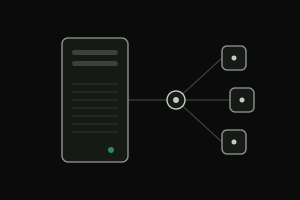
Illustration of one agent server routing work to several agents

TQ–A128

Available to order · delivered within 1 week

Agent server for teams · 16 cores / 32 threads · 128 GB RAM · no GPU needed

TensorQuay Agent set up for your team: user accounts and roles, a sandbox per agent task and a model router to local or cloud models. Model-agnostic.

3-year parts warranty, labour included · carry-in service

S$8,490 · assembly, burn-in, agent setup and guided handover included · Full specifications

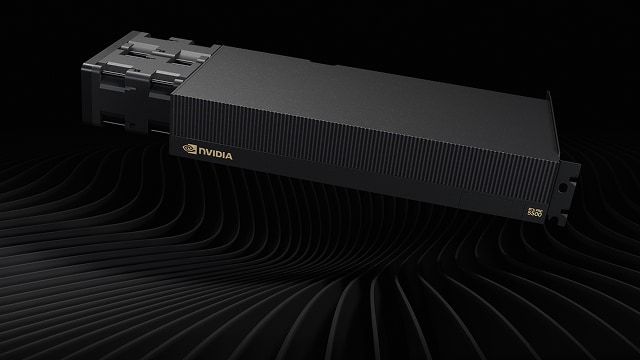
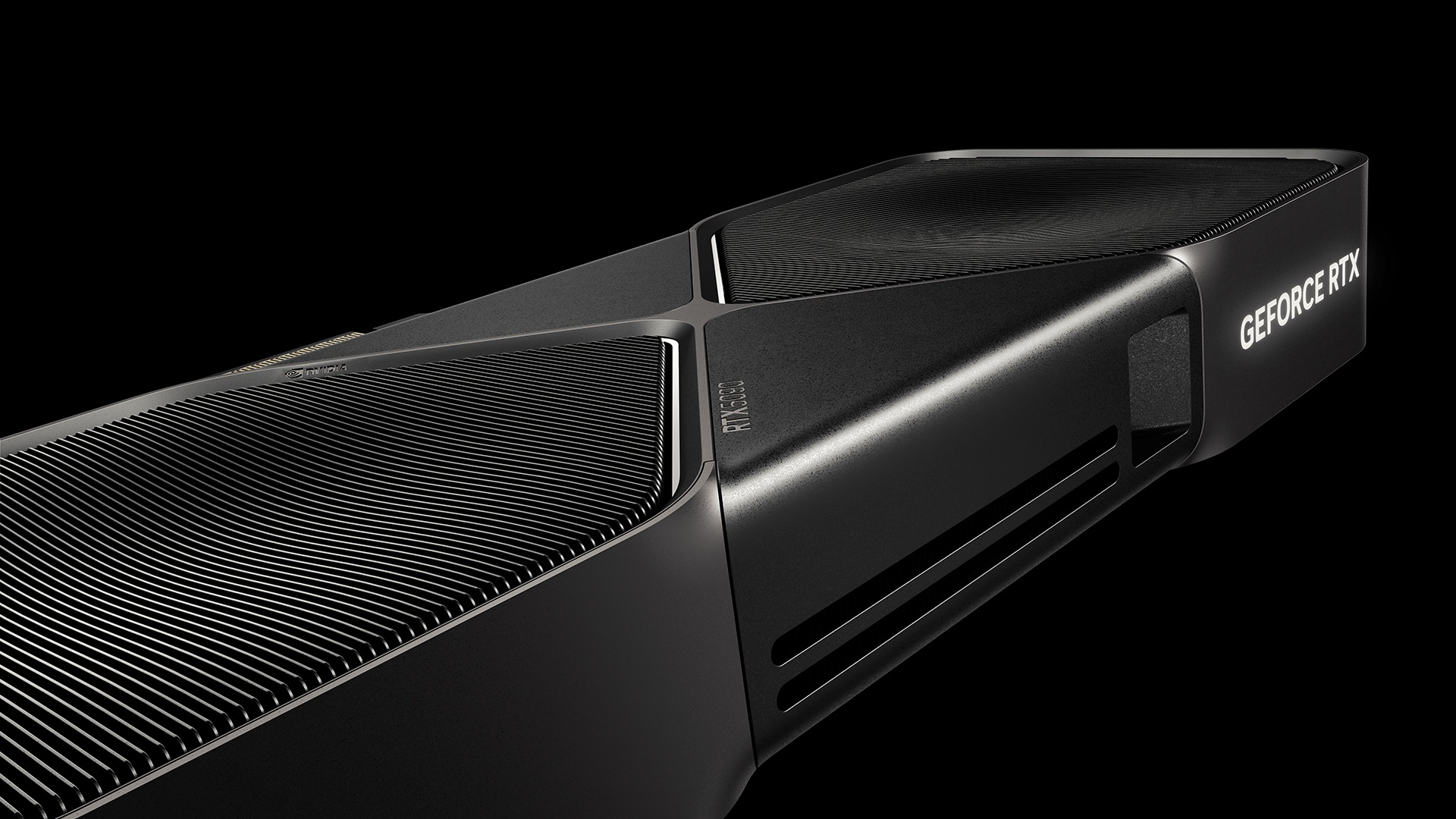
NVIDIA RTX PRO Blackwell professional GPU; official component image, final system subject to confirmation

TQ–192

Proposed · by enquiry

For larger local models and team workloads, with 192 GB of GPU memory. Proposed; available by enquiry.

Proposed 2 × RTX PRO 6000 Max-Q · 192 GB GPU memory

From S$69,900 (Hardware + Ubuntu) · S$74,900 with AI setup · ordered by quotation

SEE IT AT WORK RECORDED TESTS / 02 SEP 2026

One GPU.
See it work.

Qwen 27B. One RTX 5090.
Real agent sessions, running side by side.

8, 16 & 30 SESSIONS · ORIGINAL-SPEED FOOTAGE
SCREEN RECORDING 8 SESSIONS60 SECONDS · NO AUDIO

CHOOSE A RECORDING

Eight tasks. One shared model.

Agents work on separate coding tasks: reading files, making edits and running checks. Each terminal is a separate session.

View full-size

Internal tests on a rented RTX 5090 cloud system. These clips show the agent in use; performance varies with the task and conversation length.

Read the test results & limits
Explore the measurements & test conditions

Recorded agent work and short-request throughput are different tests. The figures below come from scripted requests, not from timing these videos.

Model
Qwen3.8-27B · NVFP4
GPU
1 × RTX 5090 · 32 GB VRAM
Runtime
vLLM 0.28 · FP8 KV cache

What the recordings show

Separate agents sharing one model server while editing and testing small programs. The visible interface is our engineering test harness.

The 16-session run completed 16 tasks in the test log, with a median of 7.5 minutes. At 30 sessions, 27 tasks completed, two failed and one was still running when observation ended. The median for completed tasks rose to 20.7 minutes.

Thirty sessions exceeded practical capacity for this workload. A session can be waiting or calling a tool; it does not mean all sessions are generating tokens at the same instant.

Clips are continuous, silent excerpts at original speed: 8 sessions, 00:15–01:15; 16 sessions, 00:45–01:45; 30 sessions, 15:00–16:00 within the source recordings. No tasks are removed from the selected frames.

SHORT-REQUEST THROUGHPUTRTX 5090 / 32 GB
445TOK/SAPPROX. COMBINED OUTPUT
57TOK/SAPPROX. PER SESSION, MEASURED

8 sessions: recorded short-request baseline.

Short scripted requests, up to 512 output tokens. Per-session speed is measured over each request’s own start-to-finish time; it is not the combined output divided by the number of sessions. The 32-session measurement is separate from the 30-session recording. These tests do not establish a supported customer count or guarantee complete workstation performance.

LOCAL VIDEO GENERATION / RTX 5090

From a prompt.
To a scene.

A hawker story. An English presenter. Mandarin dialogue. Explore video and sound generated together with FastH3 V2 on one RTX 5090.

to generate a 5.2-second clip
56.6 seconds
to generate a 10.1-second clip
126.5 seconds
to generate a 15.1-second clip
218.2 seconds

Warm medians across four prompts at 1344 × 768, including audio and file saving. FastH3 V2 INT8, 8 steps, sparse attention; one RTX 5090 cloud GPU with 32 GB VRAM and 125 GB host RAM. These tests do not qualify the complete TQ–32 or concurrent Qwen and video workloads.

Results, samples & limits

MiniMax H3 samples are unavailable in the US, EU, UK and South Korea, or where the viewing region cannot be established. Licence terms · IP Geolocation by DB-IP.

YOUR WORKSTATION. OUR SUPPORT.

AFTER-SALES / WARRANTY & SUPPORT

A little care.
A long way.

One team for hardware diagnosis, warranty claims and your local AI setup.

Hardware warranty, parts & labour
3 years
Planned burn-in testing
72 hours
Optional software maintenance
S$299 / year
Explore support
Coverage & service details

Every TQ–32 has a 3-year parts and labour warranty on the workstation hardware. TensorQuay handles warranty claims, so you contact one company. Service is pickup and return in the first year, then carry-in service. The warranty does not cover accidental damage, misuse, liquid damage or unauthorised modifications. Planned burn-in checks cover the GPU, memory, storage and AI setup under sustained load before delivery.

Software maintenance is optional and not required to use your workstation; without it the machine keeps working exactly as delivered. It includes model and runtime updates, driver and security patches, and email support. Remote sessions require your permission and are time-limited; there is no standing access.

The maintenance scope, response times and number of remote sessions per year are being confirmed; discuss these with us before choosing a support plan. On-site hardware repair is not offered. Repair time depends on parts availability. Ask us for the full warranty terms before ordering. Ongoing AI changes and software support will have a separately defined scope.

CONFIGURED BEFORE DELIVERY

Your work.
Our starting point.

Models installed. Workflows configured.
A guided handover to get you started.

  1. 01 Agree the scope
  2. 02 Configure & test
  3. 03 Hand over to you
Explore deployment

Remote deployment · On-site in Singapore

Need a place for your computer? Explore Singapore hosting

What’s included

Choose the tasks, documents and integrations, and agree what a successful setup looks like. We install the model and runtime, configure your agent and check the agreed tasks alongside the hardware.

You receive your configured system, documentation and a guided walkthrough of your workflows. Project scope and access arrangements are agreed first. On-site deployment is available in Singapore only.

Support & model adaptation
MODELSRUNTIMEAGENTS

BEFORE YOU START

A few good questions.

The details behind the solutions.

Can I order today, and how long does it take?

The TQ–32 is currently not available to order. Contact us and we will let you know when it is.

What is the TQ–A128, and how fast is delivery?

The TQ–A128 is our agent server for teams: 16 cores / 32 threads, 128 GB RAM, no GPU needed. We set up TensorQuay Agent, our open, on-premise agent platform (pre-release), for your team. It is available to order and delivered within 1 week, within Singapore.

Included and set up for you: user accounts and roles; a sealed sandbox per agent task; a model router to local or cloud models (any OpenAI-compatible endpoint); secrets kept outside the sandboxes; a network allow-list; shared workspaces; tool connectors (MCP); and a shared channel where agents and people coordinate. Coming later: agent swarms and teams at scale, and microVM isolation.

It is model-agnostic. If you choose a cloud model, your prompts go to that provider; your agents, files and secrets stay on the server. Add GPUs later and it becomes a TQ–192 base.

Warranty: 3-year parts warranty, labour included, with carry-in service: bring or courier the server to us, and TensorQuay diagnoses, repairs and handles the manufacturer claims. Pickup and return is available as a paid option, or with the maintenance plan. Not covered: accidental damage, misuse, liquid damage or unauthorised modifications.

Choose your quantity and pay by card or PayNow through Stripe checkout, with processing fees included. We then agree your team’s setup and the delivery date with you.

What exactly do I receive?

One configuration, supplied one way. An assembled workstation running Ubuntu, burn-in tested, with Qwen3.8-27B in NVFP4 served by vLLM and an AI agent configured for the workflows we agree with you. Plus documentation written around your setup and a guided handover.

We do not sell the hardware without the AI stack installed, and there is no cheaper bare-metal option. The agent interface itself is still under evaluation, so we will tell you which one you are getting before you order. TQ–192 is available by enquiry only.

Can I change the CPU, RAM or SSD?

No. Each platform has a fixed specification, so we can qualify it once, document it once and support one repeatable setup rather than a different machine every time. Storage is 2 TB. You choose the platform, not the parts.

If your work genuinely needs something outside the specification, tell us before ordering and we will say honestly whether we can support it.

Have you fine-tuned the model weights?

The current documented Qwen bundle uses serving and agent configuration tuning. It is not a claim that we have trained a new model checkpoint. Any customer-specific weight fine-tuning would need a separate agreed scope, dataset and evaluation.

How should I read the performance numbers?

They come from internal September 2026 tests on a rented RTX 5090 cloud system. The displayed throughput uses short scripted requests with up to 512 output tokens. Longer conversations, retrieval and tool-using agents change speed and memory use. The assembled workstations still need integration, thermal and extended reliability testing.

Does everything work offline?

The installed model can run inference on your workstation without a cloud API. A workflow that uses only local tools and data can work offline; internet requirements depend on the integrations you choose.

Model downloads, software updates and optional tools such as web search, email or a cloud drive need a connection and may send data to an external service. We document the agreed data flow and network requirements at handover. The assistant on this website uses a cloud AI service and is separate from your workstation.

How will my workstation be delivered?

Scheduled delivery within Singapore. We arrange a delivery date with you after your order. Delivery only — we do not offer customer collection. Any delivery charge is confirmed as part of your order, not added afterwards.

We also agree how to run your guided handover: on site with you, or remotely, whichever suits.

Will my workstation show usage hours when it arrives?

Yes, and that is deliberate. Your machine will show roughly 70–100 power-on hours and some disk writes when you receive it. It is not a used or refurbished system.

Those hours are our work. Before a workstation leaves us we install and configure the operating system, drivers, the AI models and the agent, then run it under sustained load for around 72 hours — GPU stress, memory test, disk write and the inference stack at working concurrency. Most component failures happen in the first days of use, so we would rather find them here than at your desk. A machine showing zero hours has not been tested by anyone.

This is the same reason a laptop bought with an operating system preinstalled already has hours on it: the software had to be installed and verified by someone.

We plan to include the drive’s SMART report in your handover documents, showing exactly what was on the clock at dispatch and what the burn-in consisted of, alongside every component’s serial number and warranty expiry. You can verify it yourself at any time with sudo nvme smart-log /dev/nvme0n1.

What warranty and after-sales support do I get?

Every TQ–32 comes with a 3-year parts and labour warranty on the workstation hardware. TensorQuay handles warranty claims: you contact us, we diagnose the fault and arrange the repair, so you deal with one company rather than several.

Service is pickup and return in the first year, then carry-in service, not on-site repair. Repair time depends on parts availability, and a GPU replacement can take longer. The warranty does not cover accidental damage, misuse, liquid damage or unauthorised modifications. Ask us for the full warranty terms before ordering.

We also plan to buy only stock carrying local Singapore warranty, never parallel imports, because a grey-market part has no local claim route and any promise made on it would be empty.

Every deployment includes the agreed configuration and handover. Ongoing software support is the optional S$299/year maintenance plan; new AI workflows beyond the agreed scope are quoted separately.

Do I have to pay for software maintenance?

No. Software maintenance is optional at S$299 a year and you can start it at any time. Without it your machine keeps working exactly as delivered — nothing expires, nothing stops, and no feature is withheld.

What it covers: model and runtime updates, driver and security patches, email support, and remote sessions that you start, which are time-limited and close automatically. There is no standing access to your machine and nothing runs in the background reporting to us.

Response times and the number of remote sessions included are being confirmed. Agree the written scope with us before starting the maintenance plan.

Are you an NVIDIA partner?

We have contacted NVIDIA about partner onboarding. NVIDIA Partner Network membership and direct purchasing eligibility have not been established. NVIDIA product names describe the hardware we plan to evaluate.

LET’S TALK LET’S BUILD WHAT’S NEXT.

Your next chapter.
Powered locally.

AI Stations, deployment, training and support.
Tell us what you have in mind.

Email our team

Start in chat, or send your requirements to our team by email.

hello@tensorquay.com
YOUR WORKSTATION / SOLUTION DETAILS

TQ–32

TQ—32

AVAILABILITY

Hardware & warranty

Warranty: 3-year parts and labour warranty on the workstation hardware, with claims handled by TensorQuay; pickup and return in the first year, then carry-in service. Not covered: accidental damage, misuse, liquid damage or unauthorised modifications.

Read the fixed specification

TENSORQUAY / INFORMATION